Discounts
Add Discounts
"Add Discounts" is used for selecting benefits to apply discounts or special offers to the current order.
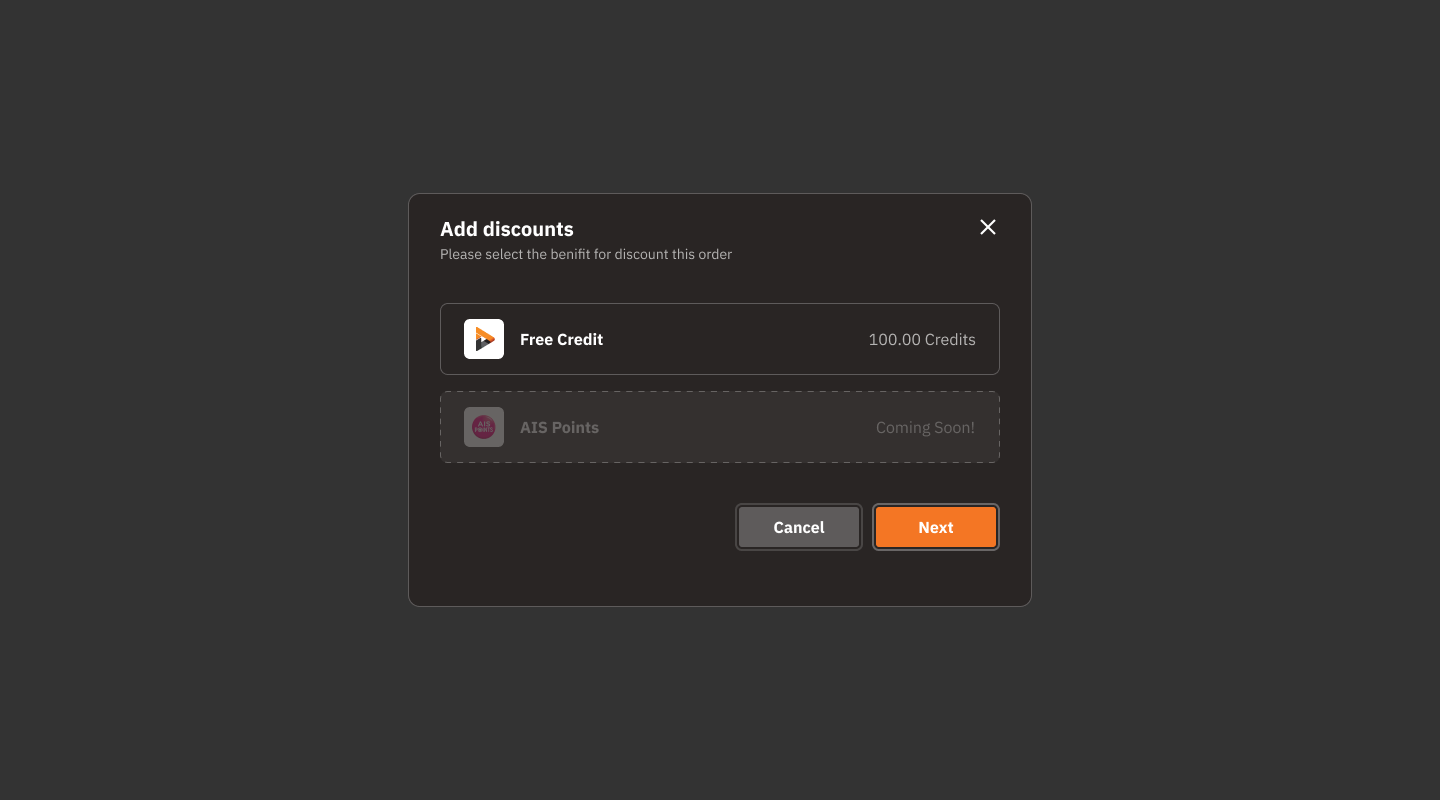
Benefits Options:
Free Credit:
Displays the amount of available free credits (e.g., 100.00 Credits).
AIS Points:
Displays "Coming Soon!", indicating that this feature will be available in the future.
Action Buttons:
Cancel: Cancel adding discounts.
Next: Proceed to the next step of discount confirmation.
Close Icon (X):
Located in the top right corner of the screen, used to close this window.
Usage Steps
View the available benefits options on the screen.
Select the credit type (currently, only Free Credit is available).
Click "Next" to proceed.
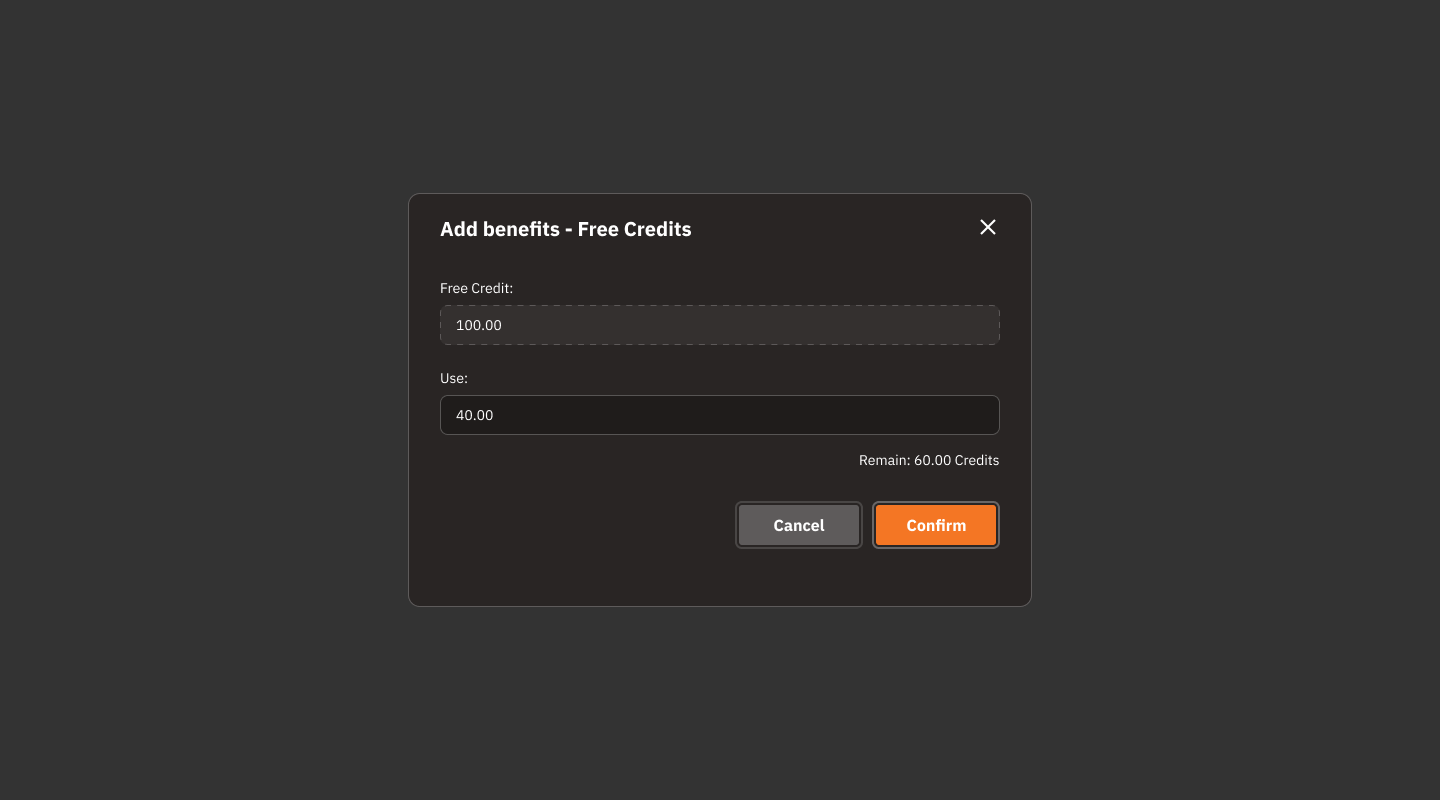
Check the avalible amount of Free Credit.
Enter the desired credit amount in the "Use" field.
Check the remaining credit amount in the "Remain" field.
Click "Confirm" to confirm the use of benefits, or "Cancel" to cancel.
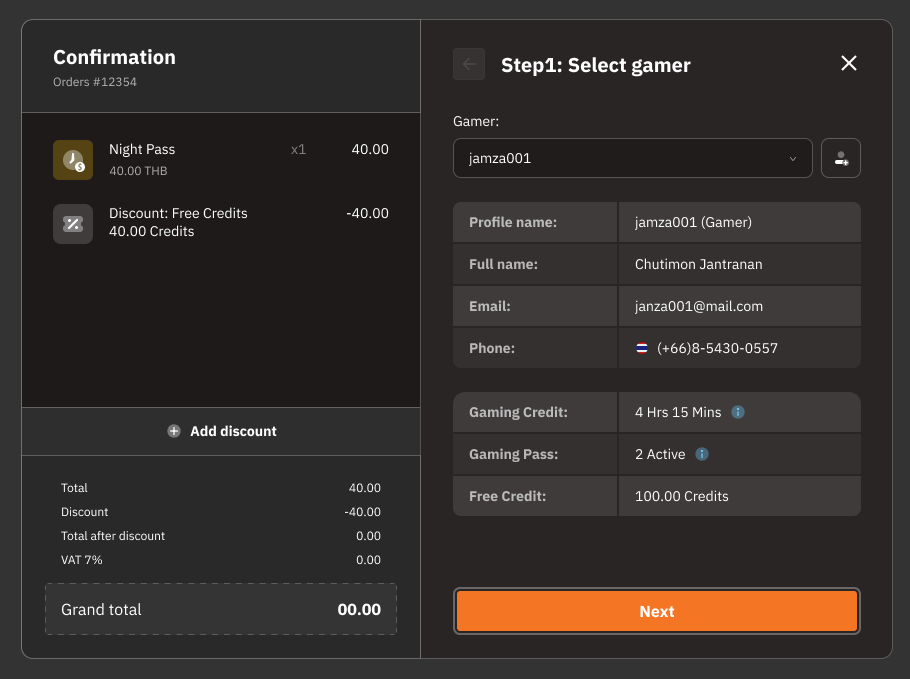
Verify the order details and applied discounts.
Press "Next" to continue to the next step.
Was this helpful?
Still need help? Ask the team