POS Verification
POS Verification
POS Verification is a crucial process for checking and confirming your Point of Sale (POS) devices to connect with the Center system.
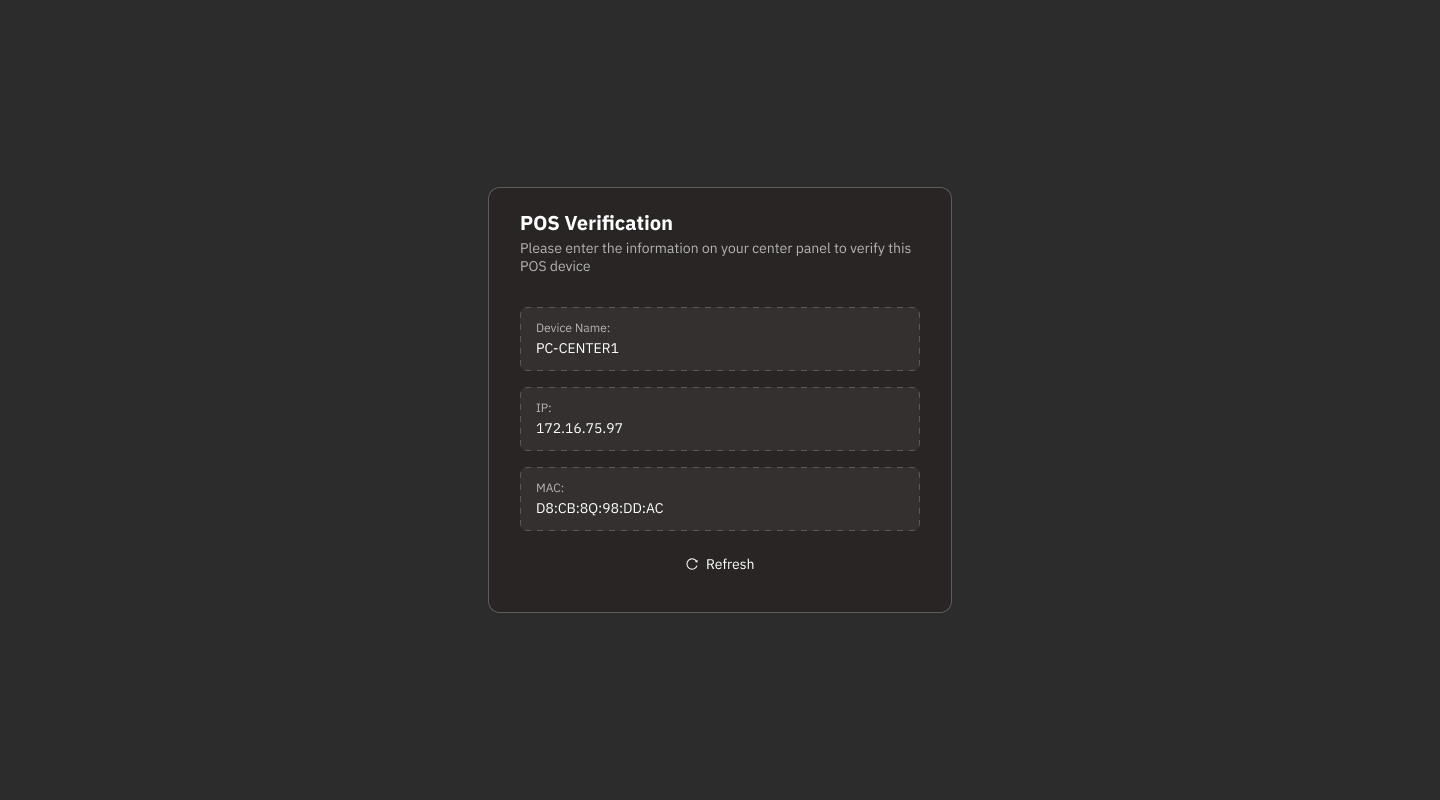
Screen Components
Device Name:
Displays the POS device name (e.g., PC-CENTER1).
IP Address:
Displays the device's IP address (e.g., 172.16.75.97).
MAC Address:
Displays the device's MAC address (e.g., D8:CB:8Q:98:DD:AC).
Refresh:
Button to refresh data if changes occur or if data is outdated.
How to Verify POS
Verify Information:
Check if the Device Name, IP Address, and MAC Address match those defined in the Center system.
Enter Information in Center Panel:
Use the information displayed on this screen to verify in the Center Panel of the system.
Click Refresh:
If the information does not match or if there is a problem, refresh to update the latest data.
Additional Instructions
If the information does not match or cannot be verified:
Check the device's network connection.
Contact the system administrator or technical support.
Maintain the security of MAC and IP Address information to prevent unauthorized use.
Was this helpful?
Still need help? Ask the team