Settings (Printers)
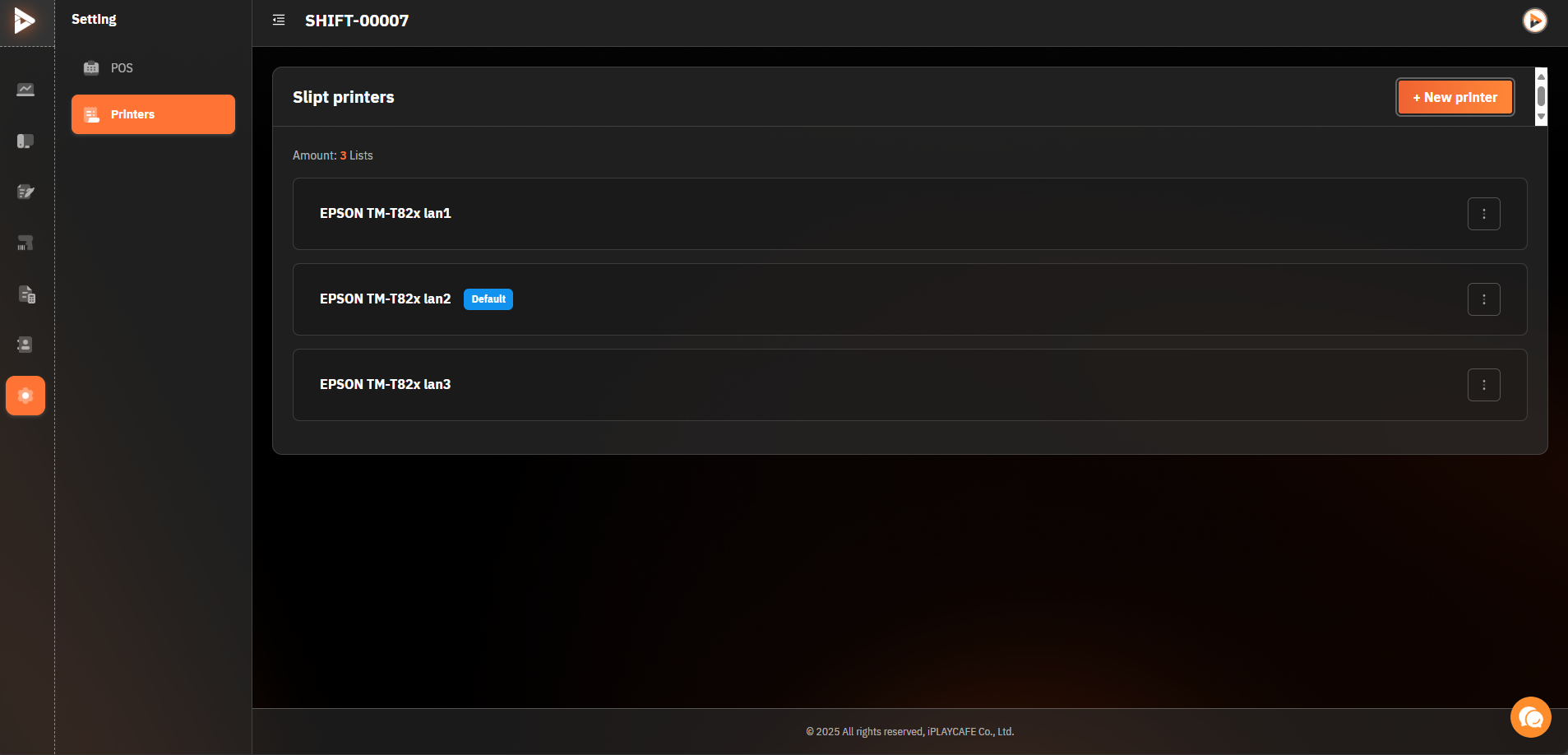
Setting Printer Screen This screen is used for managing and configuring slip printers.
Slip printers: The main heading of this section.
+ New printer: A button for adding a new slip printer.
Amount: 3 Lists: Displays the number of slip printers added to the system.
Printer List: Shows the names of connected printers (e.g., EPSON TM-T82x lan1).
Default: A button to designate the default printer to be used.
(Three dots): May be a button to access additional settings or modify printer information.
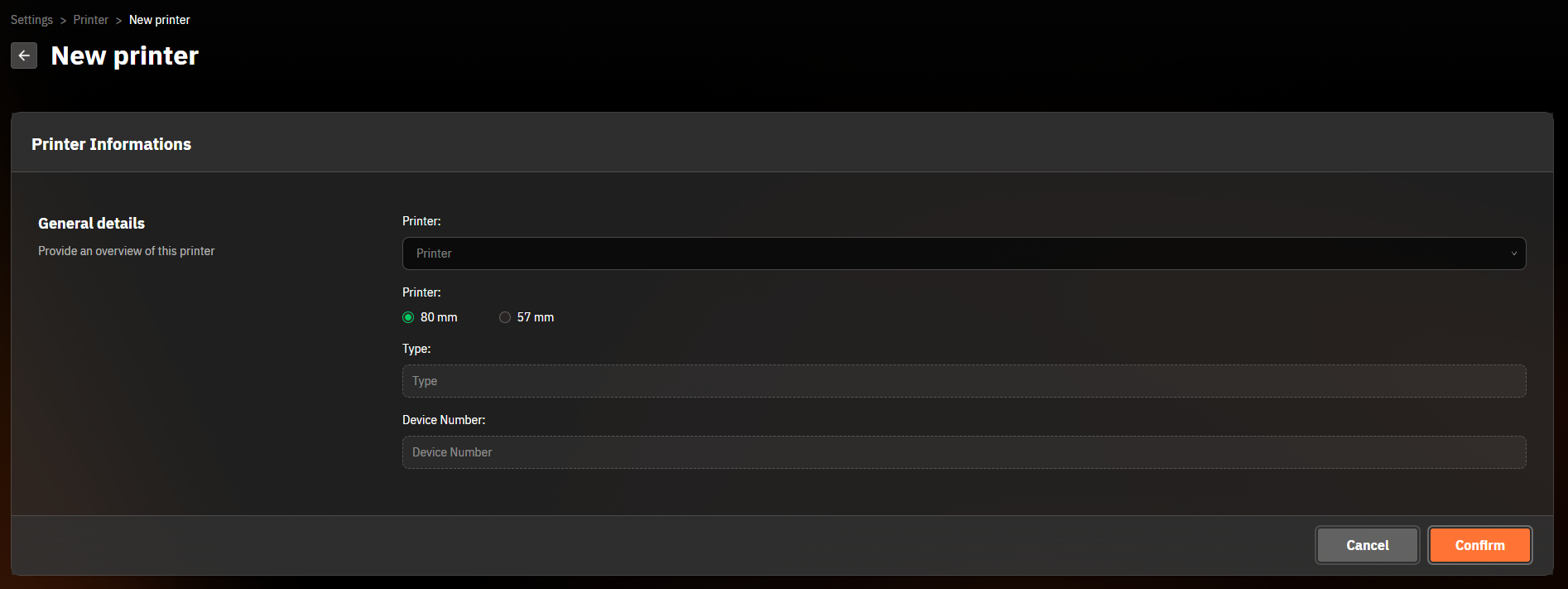
New Printer Screen This screen is used for adding new printer information to the system.
← New printer: A button to go back to the previous screen.
Printer Informations: The main heading of this section.
General details: A description for providing an overview of this printer.
Printer: A field for selecting or specifying the printer name.
Paper size: Options for paper size for the printer (e.g., 80 mm, 57 mm).
Type: A field for specifying the type of printer.
Device Number: A field for specifying the device number of the printer.
Cancel: A button to cancel adding a new printer.
Confirm: A button to confirm adding a new printer.
Was this helpful?
Still need help? Ask the team