Create an Account
1. Create an Account
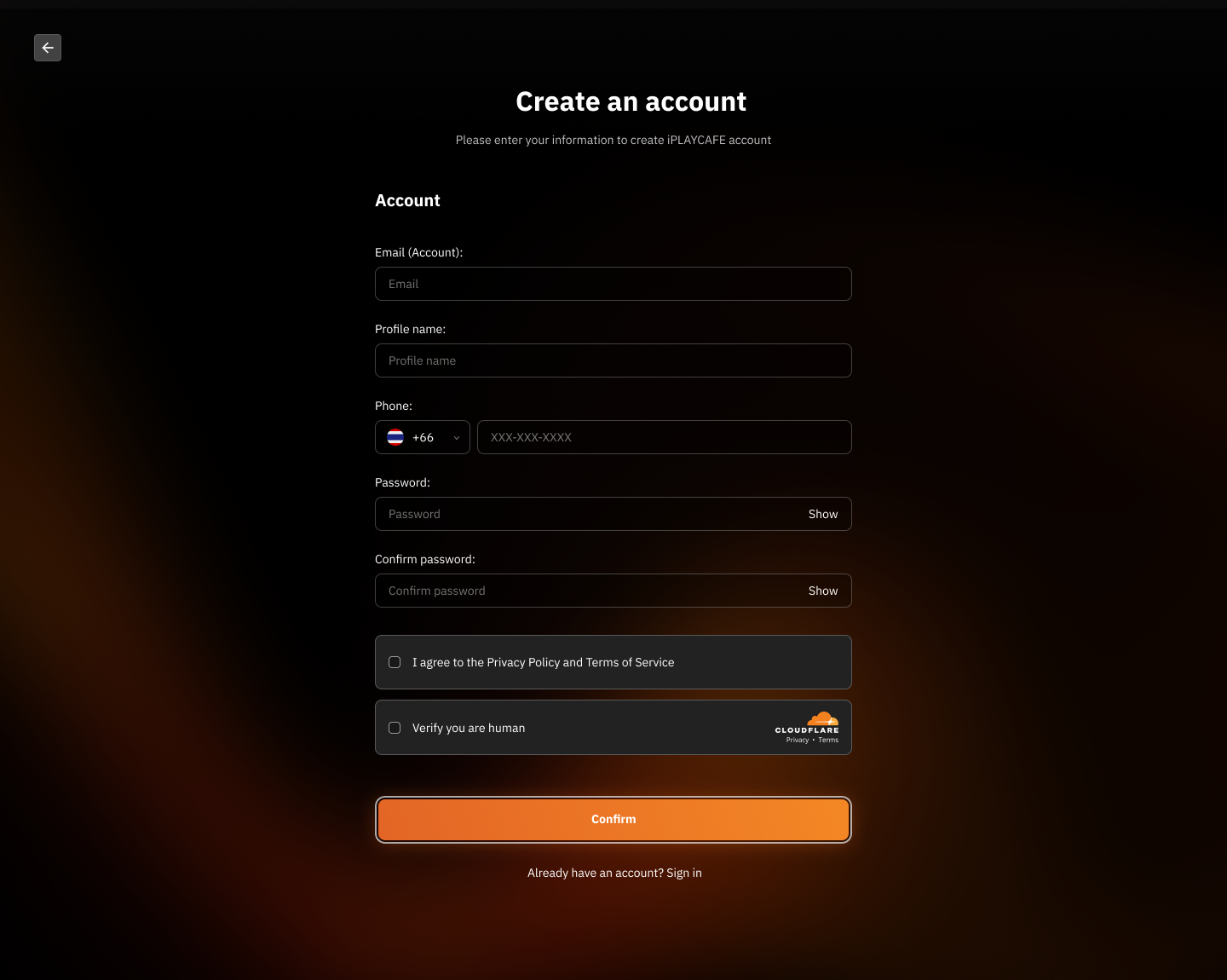
Email (Account):
Enter the email address you want to use for your user account.
Make sure the email is correct and active.
Profile Name:
Enter the profile name you want to display in the system.
This can be your real name or a nickname.
Phone:
Select your country code (e.g., +1 for the United States).
Enter your phone number in the format XXX-XXX-XXXX.
Password:
Create a secure password (use letters, numbers, and symbols for maximum security).
Click the "Show" button to see the password as you type.
Confirm Password:
Enter the password again to confirm it's correct.
Terms of Use:
Check the box next to "I agree to the Privacy Policy and Terms of Service" to accept the terms of use.
Verification:
Check the box next to "Verify you are human" to prove you're not a bot.
Account Confirmation:
Click the "Confirm" button to create your account.
If you already have an account, click "Sign in" at the bottom to return to the sign-in page.
2. Email Verification
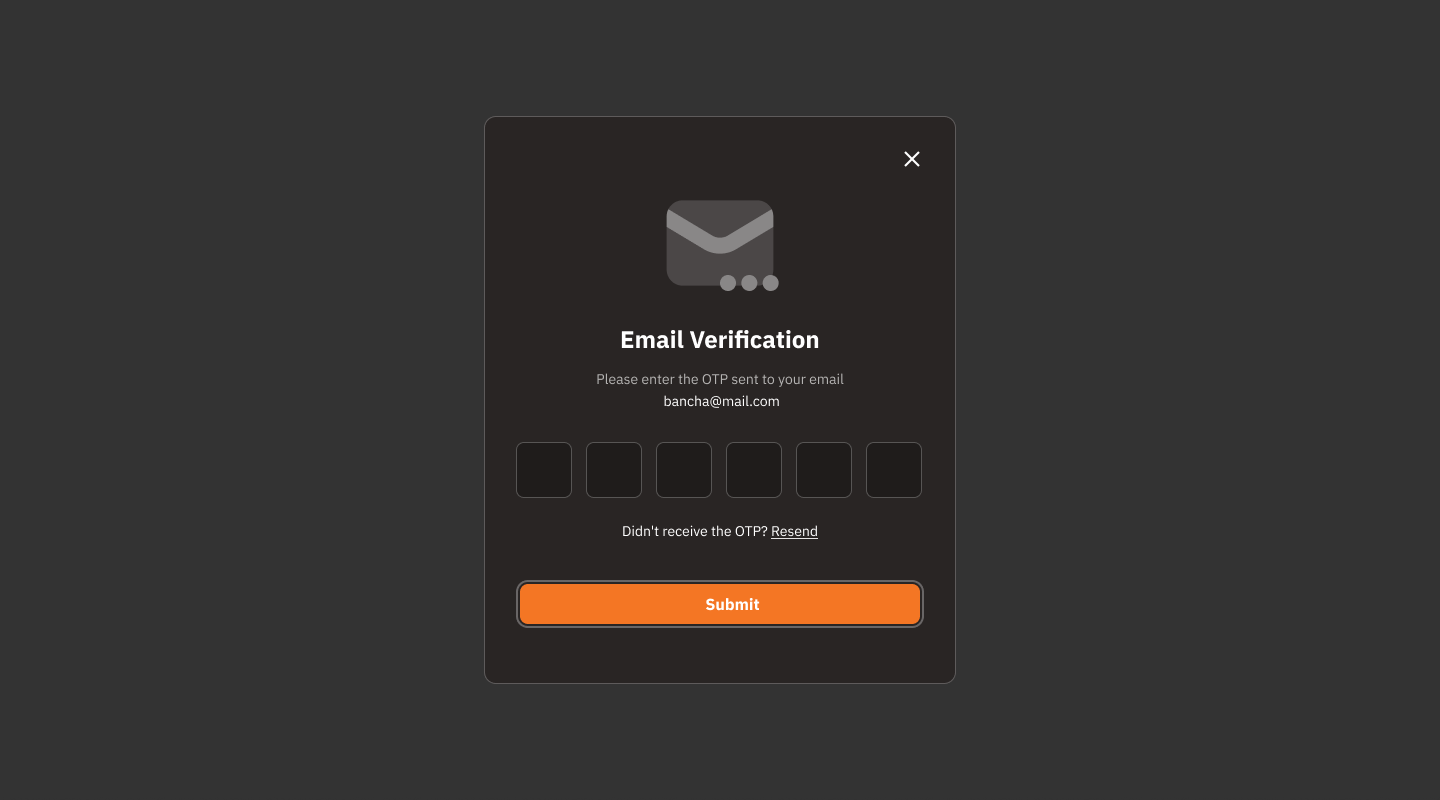
Check OTP:
The system has sent a One-Time Password (OTP) to the email address you used to register (e.g., bancha@mail.com).
Open your email to check for the message.
Enter OTP:
Enter the 6-digit OTP code in the provided field.
Ensure the code is correct before proceeding.
OTP Not Received:
If you haven't received the OTP, click the "Resend" link to request a new code.
Verify Code:
Click the "Submit" button to verify the OTP code and continue.
Close Window:
If you wish to cancel or go back, click the "X" icon in the upper-right corner of the screen.
3. Your Profile
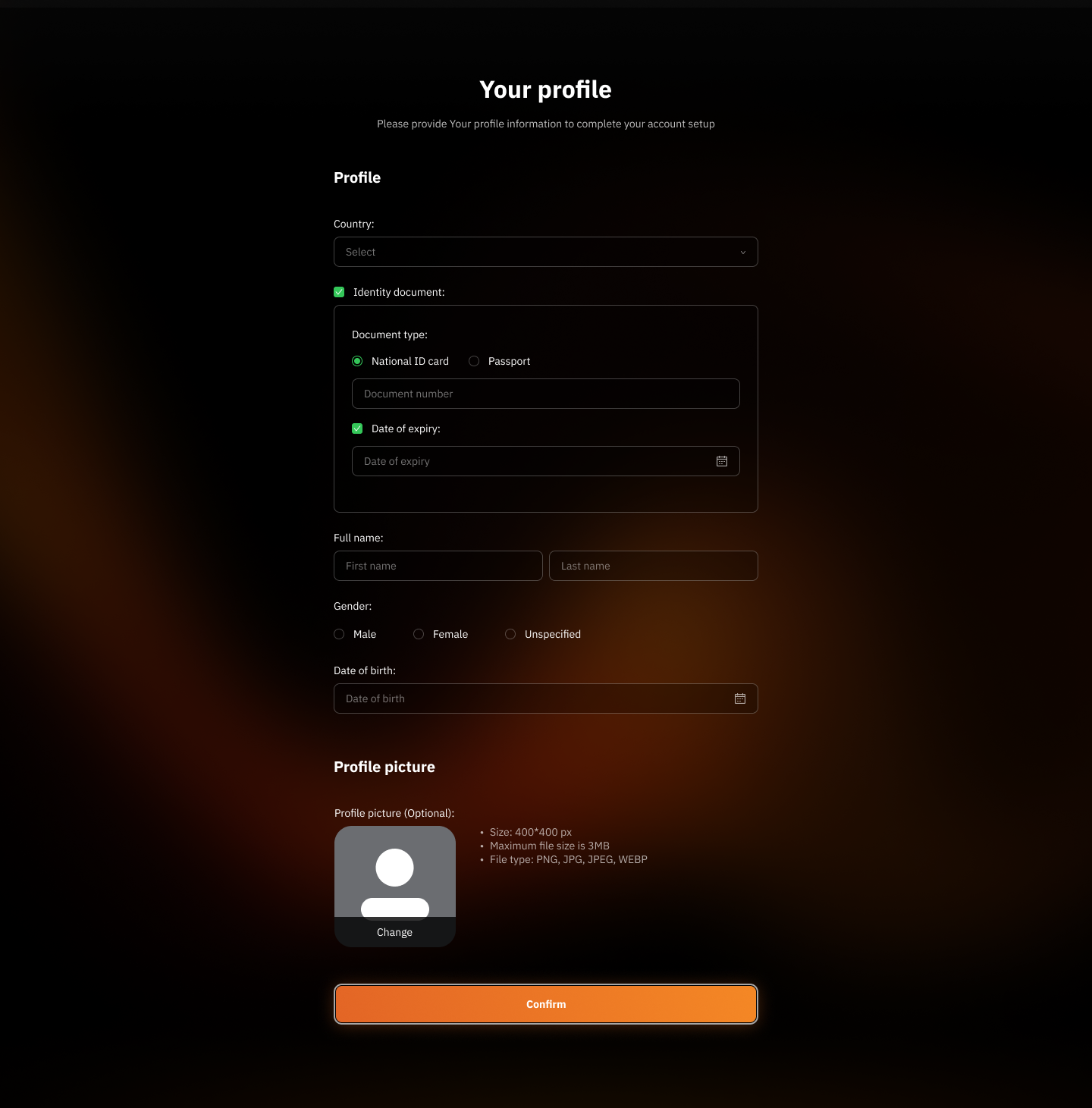
Country:
Click the "Select" menu and choose your country from the list.
Identity Document:
Check the "Identity Document" box.
Choose the type of document you want to use:
National ID Card
Passport
Enter the document number in the "Document Number" field.
Enter the document's expiration date in the "Date of Expiry" field.
Full Name:
Enter your first name in the "First Name" field.
Enter your last name in the "Last Name" field.
Gender:
Select your gender:
Male
Female
Unspecified
Date of Birth:
Enter your date of birth in the "Date of Birth" field.
Profile Picture:
Upload your profile picture by clicking the "Change" button.
Image requirements:
Size: 400x400 px
Maximum file size: 3 MB
Supported file formats: PNG, JPG, JPEG, WEBP
Confirm Information:
Double-check all information for accuracy.
Click the "Confirm" button to save your profile information and continue.
Was this helpful?
Still need help? Ask the team