POS
POS This section displays settings and management information for your Point of Sale (POS) systems.
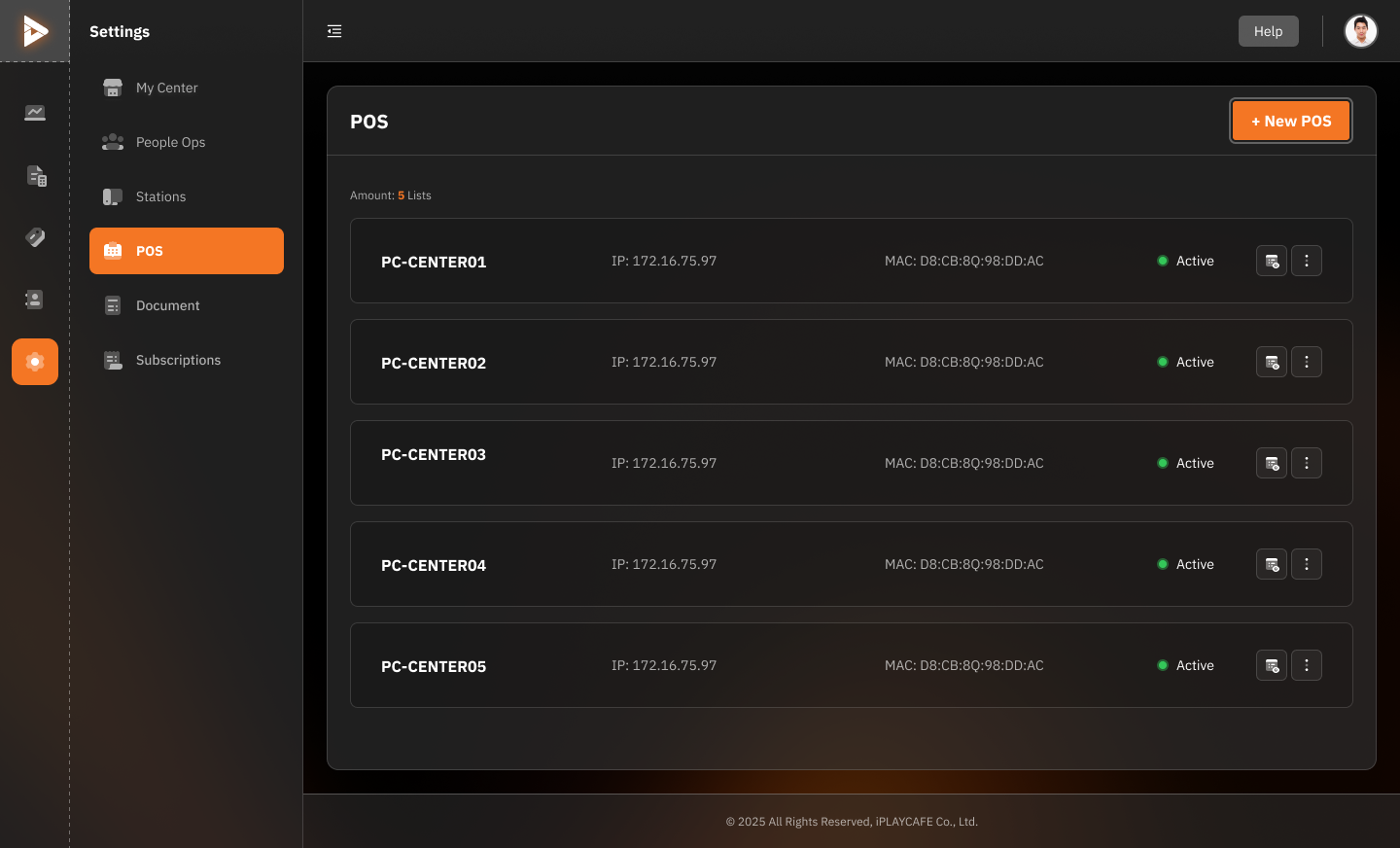
POS List (Amount: 5 Lists)
POS Name: This is the name assigned to each POS terminal or station (e.g., PC-CENTER01, PC-CENTER02).
IP Address: This shows the unique IP address assigned to each POS terminal on your network (e.g., 172.16.75.97).
MAC Address: This displays the unique MAC address of each POS terminal's network card (e.g., D8:CB:8Q:98:DD:AC).
Status: This indicates whether the POS terminal is currently active and ready to use.
+ New POS Button
Click this button to add a new POS terminal to the system.
Additional Options
You'll also see icons next to each POS terminal that provide options to Edit, Delete, or View Details for that specific terminal.
Was this helpful?
Still need help? Ask the team