License
License Management
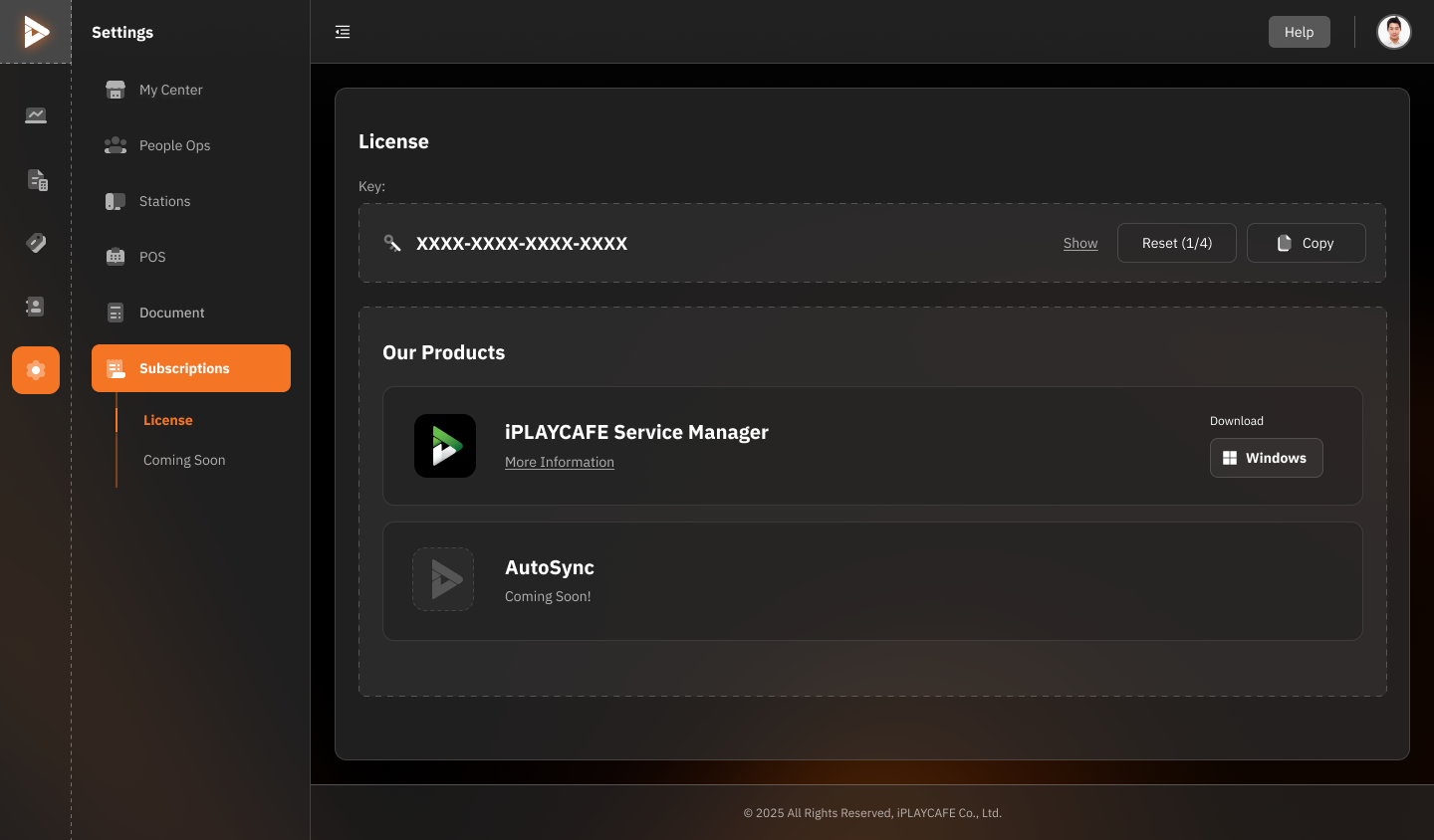
The license section of your system is used to manage licenses and related products.
Key
Displays the system's License Key.
Options include:
Show: Click to display the full License Key.
Reset (1/4): Reset the License Key (limited number of resets available). The number of available reset times is inside the parenthesis.
Copy: Copy the License Key to the clipboard.
Our Products
A list of products that can be used or downloaded.
iPLAYCAFE Service Manager: Service management system (click "More Information" for details and "Windows" to download for the Windows operating system).
AutoSync: Product currently under development (Coming Soon).
Instructions
To view the License Key:
Click "Show" to display the key.
To reset the License Key:
Click "Reset" (the number of resets available is indicated in parentheses).
For product downloads:
Select the desired product and click "Windows" to start the download.
Additional Instructions
Please keep your License Key in a safe place and avoid sharing it with others.
If you have any further questions about the products or the License, please click "More Information" or contact support via the "Help" button located in the top right corner of the screen.
Was this helpful?
Still need help? Ask the team