POS Details
POS Details - Infomation
This page shows details and activity history for a specific Point of Sale (POS) terminal.
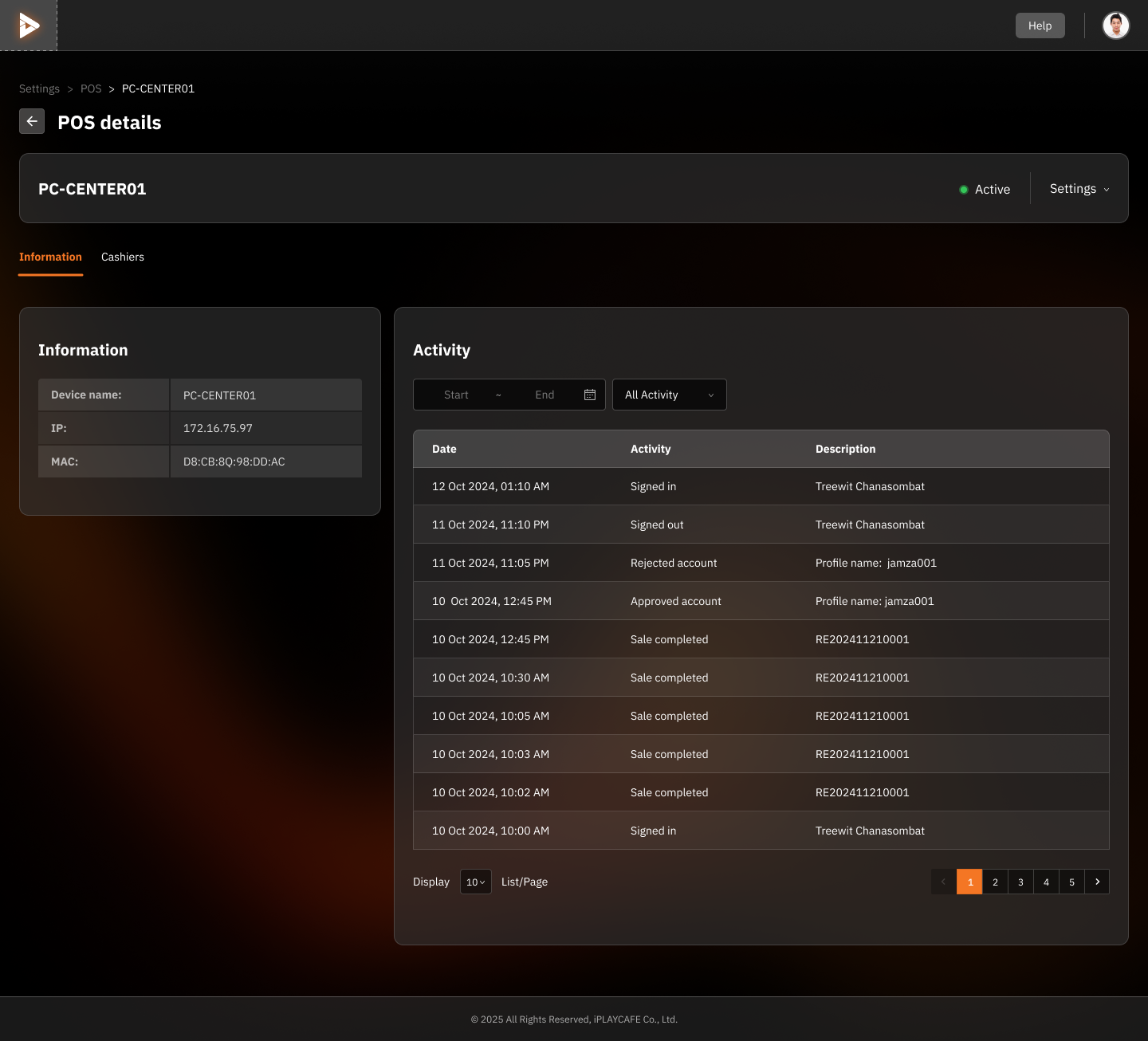
Information
Device name: The name assigned to the POS terminal (e.g., PC-CENTER01).
IP: The IP address of the POS terminal.
MAC: The MAC address of the POS terminal.
Status: The current status of the POS terminal (e.g., Active).
Activity
This section lists the activities performed on this POS terminal, such as user logins, account approvals, and sales transactions.
Columns:
Date: Date and time of the activity.
Activity: Type of activity (e.g., Signed in, Approved account, Sale completed).
Description: Provides more details about the activity (e.g., the related sales receipt number or the account involved).
Filters:
Start - End: Select a date range to filter the activities shown.
All Activity: Filter the activity list by specific activity types.
Action buttons
Settings: Click to configure or edit the settings of this POS terminal.
Pagination: Use the pagination controls to navigate through multiple pages of activity entries if there are many.
POS Details - Cashiers
This screen displays the list of cashiers who are authorized to use the selected POS terminal.
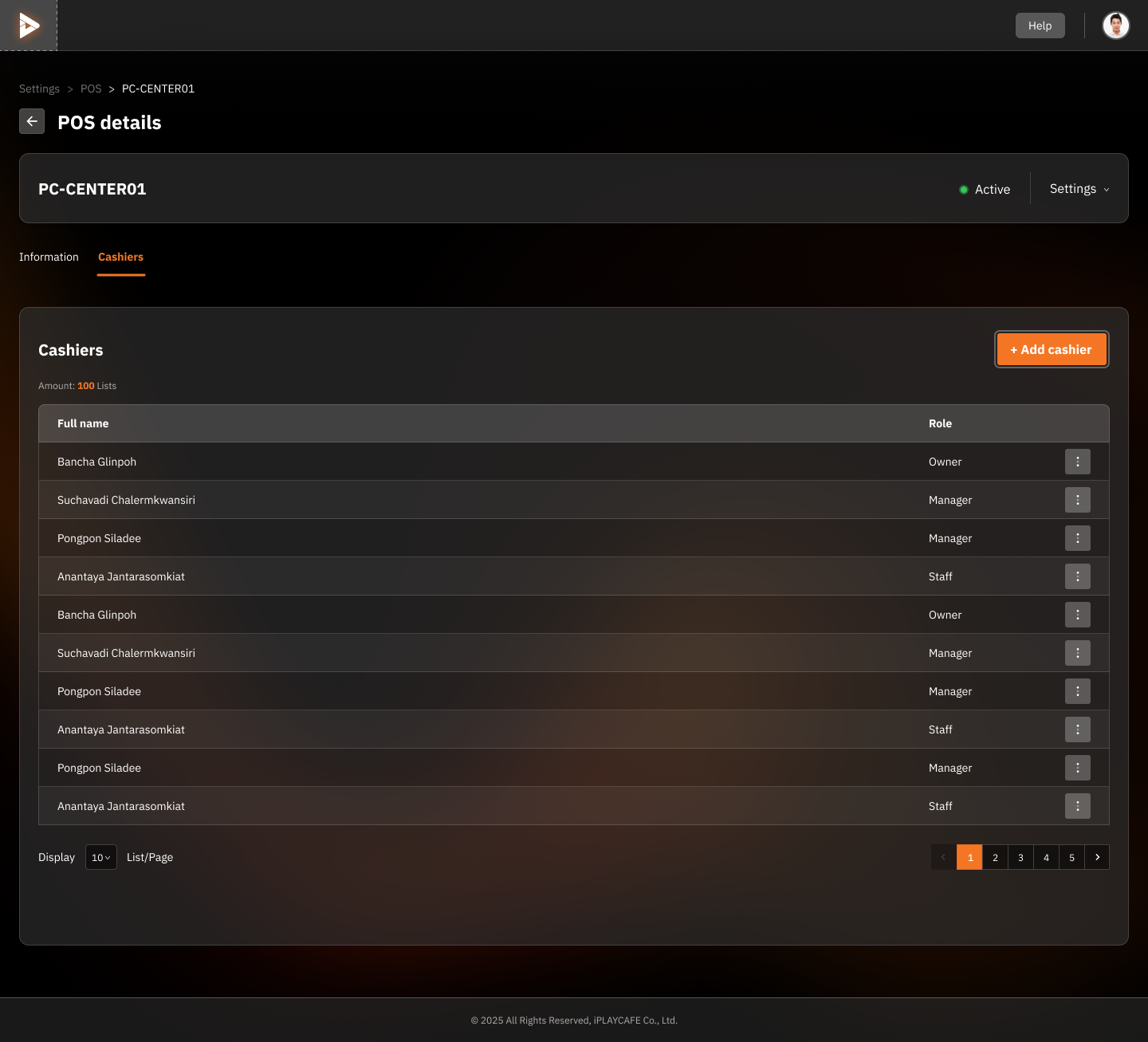
Cashiers Heading
Shows the list of users who have access to this POS terminal.
Amount: The total number of cashiers listed (in this case, 100).
Columns
Full name: The full name of the authorized cashier.
Role: The position or role of the cashier, such as Owner, Manager, or Staff.
Add cashier Button
Use this button to add a new user as a cashier for this POS terminal.
Additional Actions
Three-dot menu (...): Click to access options such as editing permissions or removing the cashier from the system.
Pagination
Use this to scroll through additional cashiers on subsequent pages.
Was this helpful?
Still need help? Ask the team