Shifts
Shifts
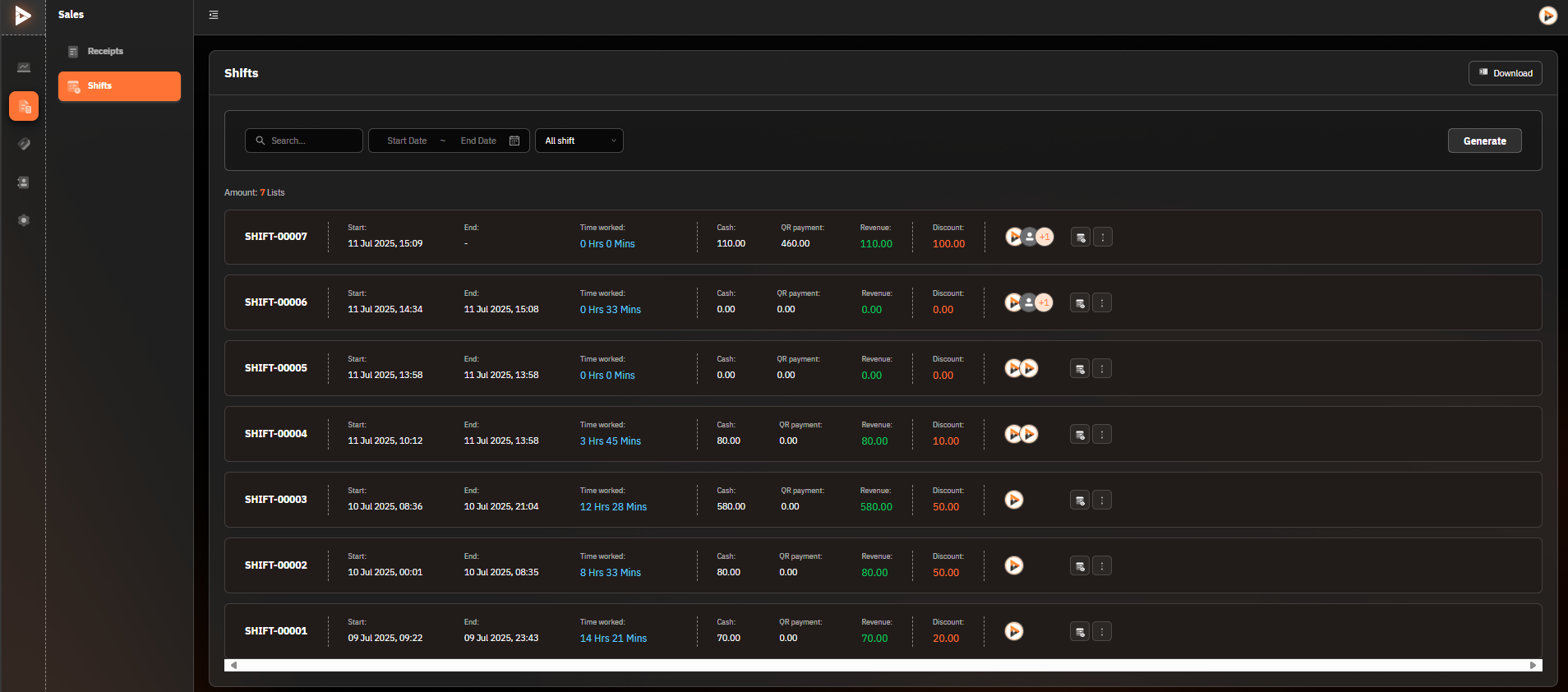
Search & Filter
Search:
Use the search box in the upper-left corner to enter the term you want to search for, such as shift number (Shift No.) or manager name.
Period:
Select the time period for which you want to view the data (e.g., 12 Jan 2024, 00:00 AM - 11:59 PM).
All Shifts:
Select the type of shift you want to view, such as Active, Completed, or All Shifts.
Generate:
Click the "Generate" button to display shift data according to the selected filters.
Shifts List Table
Displayed Information:
Shift No.: Shift number (e.g., SHIFT-00435)
Start / End: The start and end times of the shift.
Time Worked: The total time worked in the shift (e.g., 4 Hrs 11 Mins).
Cash: Cash amount in the shift.
QR-codes: QR code payment amount.
Revenue: Total revenue in the shift.
Discount: Discounts given during the shift.
Additional Functions:
Team Icon: Click to view the details of the staff in the shift.
Three-Dot Icon: Click to see more options, such as editing or viewing shift details.
Download
Click the "Download" button in the upper-right corner to download the shift list report in PDF or Excel format.
Was this helpful?
Still need help? Ask the team