Shift Details - Overview
Shift Details - Overview
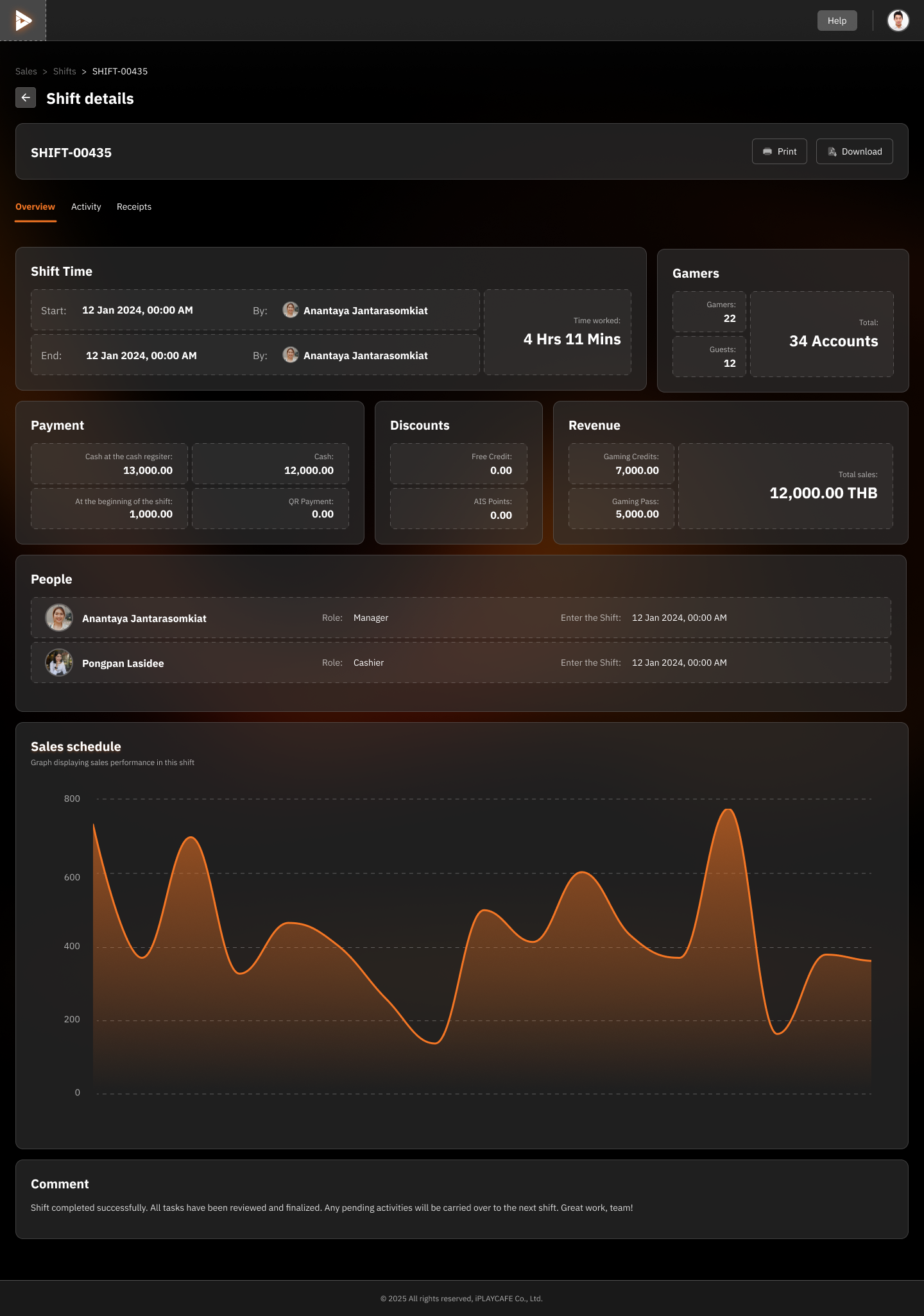
Header of the screen
Help: Button to access the user manual or system help resources.
Sales > Shifts > SHIFT-00435: Breadcrumb or access sequence, showing the user which screen they are currently on and allowing them to click to return to the previous screen.
← Shift details: Button to return to the previous screen.
SHIFT-00435: Unique code of the work shift.
Overview: The current tab displaying the overview information of the shift.
Main data section of the shift
Shift Time:
Start: Date and time of the shift start.
End: Date and time of the shift end.
By: Indicates who recorded or is responsible for the data changes (in this case, Anantaya Jantarasomkiat).
Total: Duration of the shift (4 hours 11 minutes).
Gamers: Information on the number of players associated with this shift and the number of accounts.
Payment:
Displays payment details such as sales amounts (13,000.00 and 1,000.00).
Total 12,000.00 THB (baht).
Discounts:
Displays discount details (in this image, there are discounts of 12,000.00 and 0.00).
Revenue:
Displays revenue details (7,000.00 and 5,000.00).
People:
Anantaya Jantarasomkiat: Specifies the position (Manager) and time of arrival.
Pongpan Lasidee: Specifies the position (Cashier) and time of arrival.
Sales Schedule:
A graph showing sales trends over time, which can help analyze sales performance at different times.
Comment:
Record messages or additional details about this shift, such as "Shift completed successfully. All sales have been reviewed and finalized. Any pending activities will be carried over to the next shift. Great work!"
Footer of the screen
Overview > Activity > Receipts: Tabs for switching to other related screens, such as the Activity screen or the Receipts screen.
Was this helpful?
Still need help? Ask the team