Add Cashier
Add Cashier to POS is used to add sales or cashier staff members to the selected POS system with defined permissions.
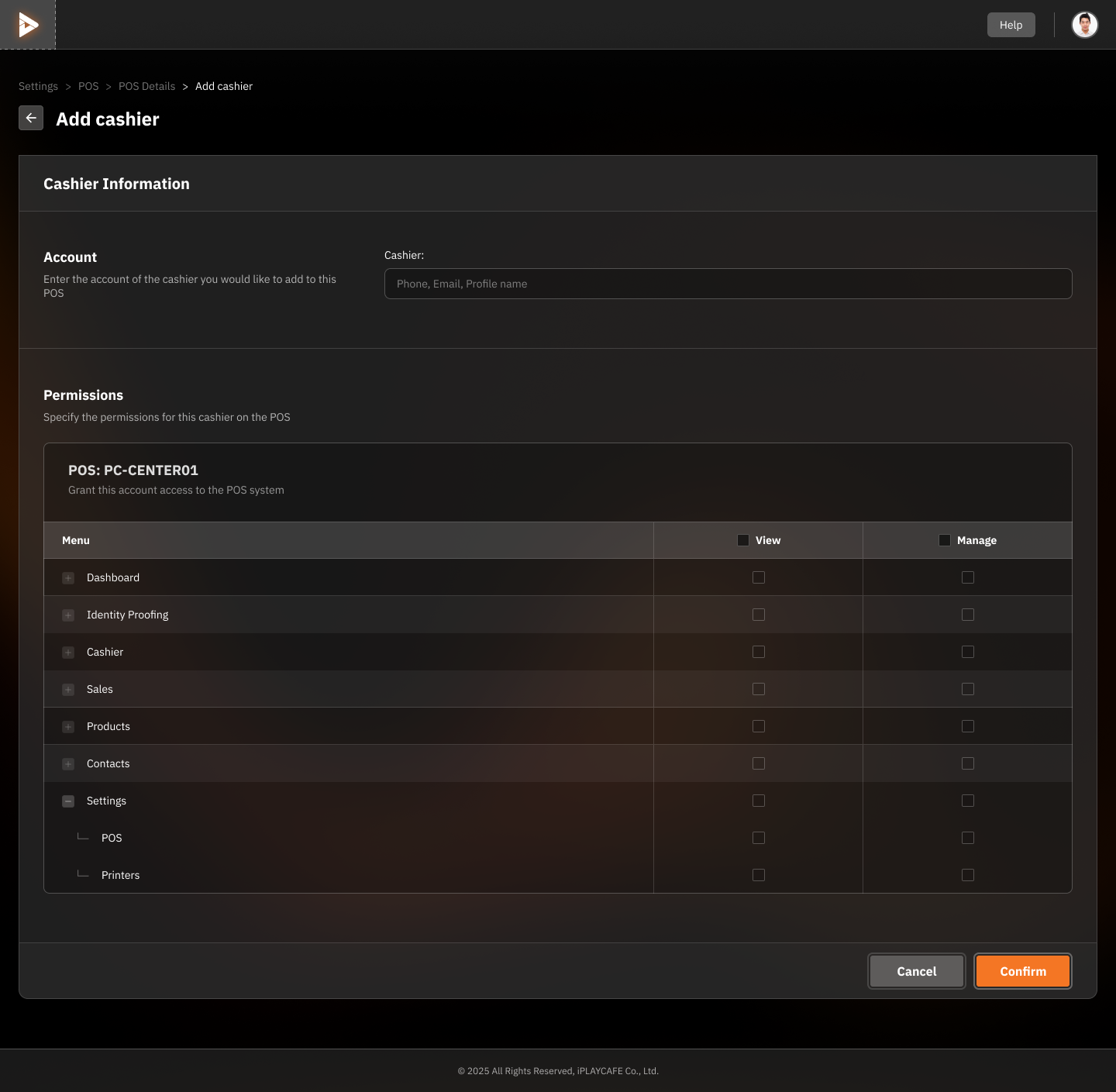
Cashier Information
Account:
Specify the cashier account to be added, searchable by phone number, email, or profile name.
Permissions
Used to define permissions for the cashier in the selected POS system (in the example, it's POS: PC-CENTER01).
Menu:
Dashboard: Permission to view the dashboard.
Identity Proofing: Permission to verify identity.
Cashier: Permission to work as a cashier.
Sales: Permission to manage sales data.
Products: Permission to manage products.
Contacts: Permission to manage user information.
Settings:
POS: Permission to configure POS system settings.
Printers: Permission to configure printers.
View/Manage:
View: Permission to view data.
Manage: Permission to manage and edit data.
Actions
Confirm: Saves information and adds the cashier.
Cancel: Cancels adding the cashier.
Usage
Enter the cashier's account information in the "Account" field.
Select permissions from the list in Permissions.
Click Confirm to save or Cancel if you don't want to add.
Was this helpful?
Still need help? Ask the team